Knowing how to use music notation software is crucial for music teachers today. Without music notation software, editing and saving compositions will probably become tedious and easily lost.
Luckily, with the help of technology and the myriad number of music notation softwares out there, music teachers are now able to compose, make resources and worksheets for students. With special features such as the live playback system and the easy shortcut tool, it provides teachers and students to compose and listen back to their compositions instantly with one click!
What are some music notation softwares I can use?
For many years, I’ve used Sibelius to compose, create projects, make arrangements and compile my HSC music portfolio. However, for those who want to explore other music notation softwares, Dorico, MuseScore, Noteflight, Staffpad, Flat.io and Finale are a great start.
Making worksheets and quality resources
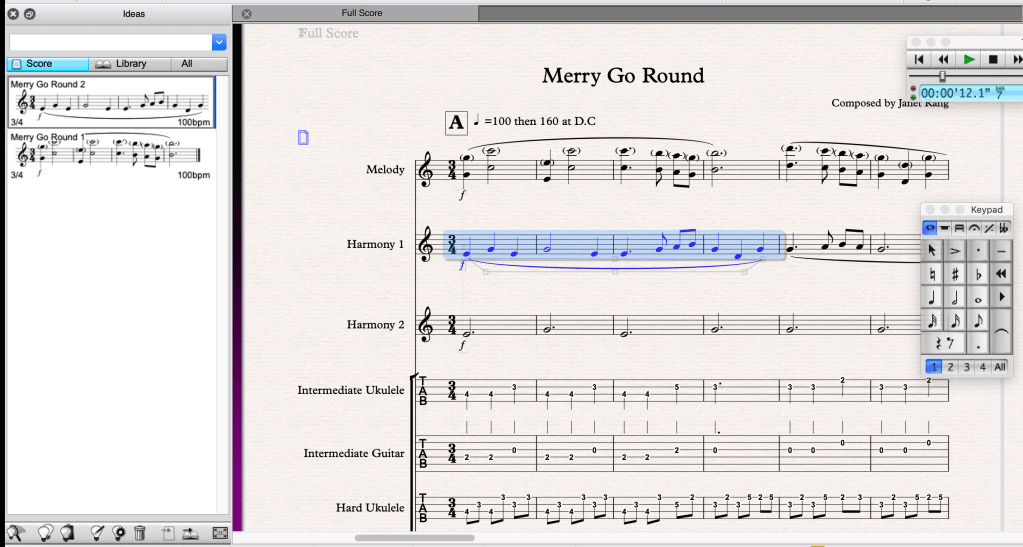
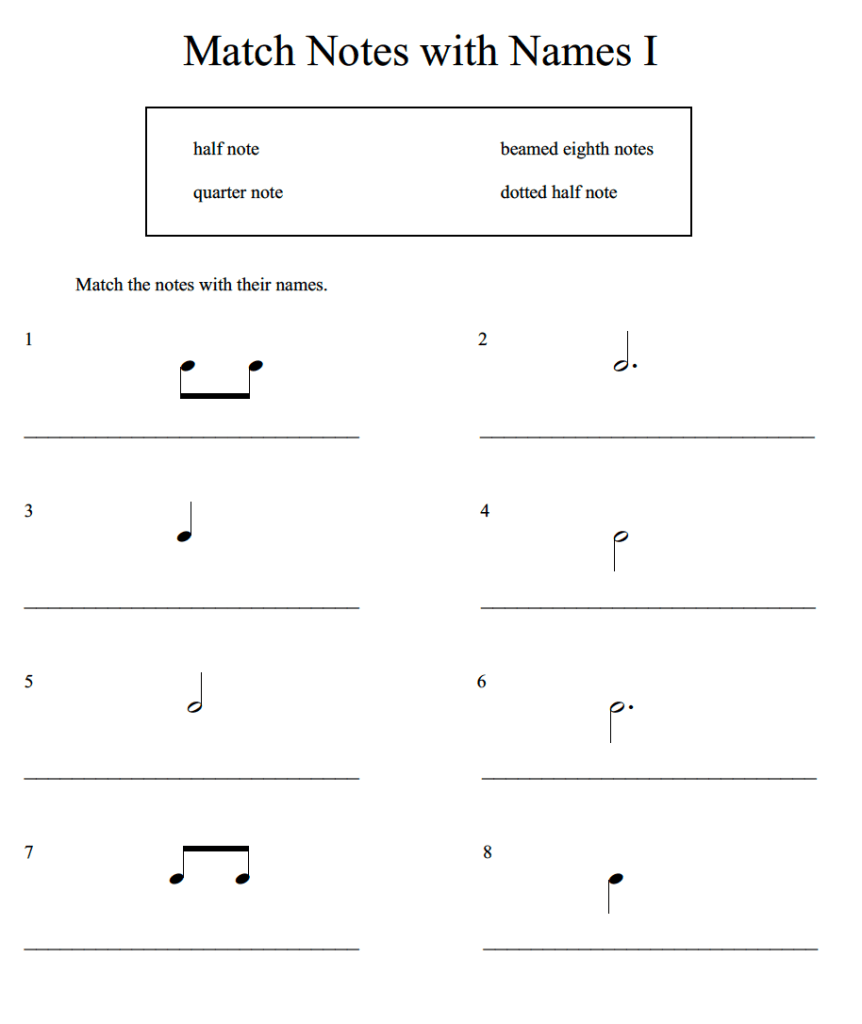
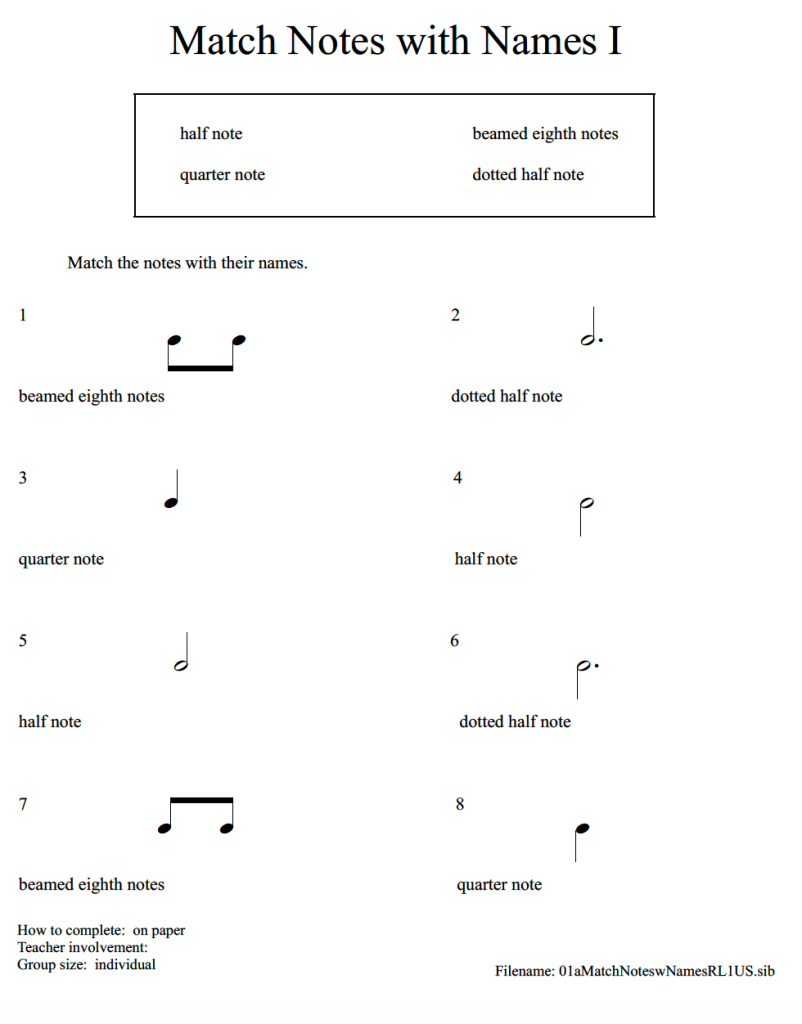
In class, we’ve explored various ways music educators can create worksheets and resources for students on Sibelius. Some of the features we explored were:
- Capturing compositional ideas
- Making worksheets
- Screenshot (not the Shift + Command + 4)
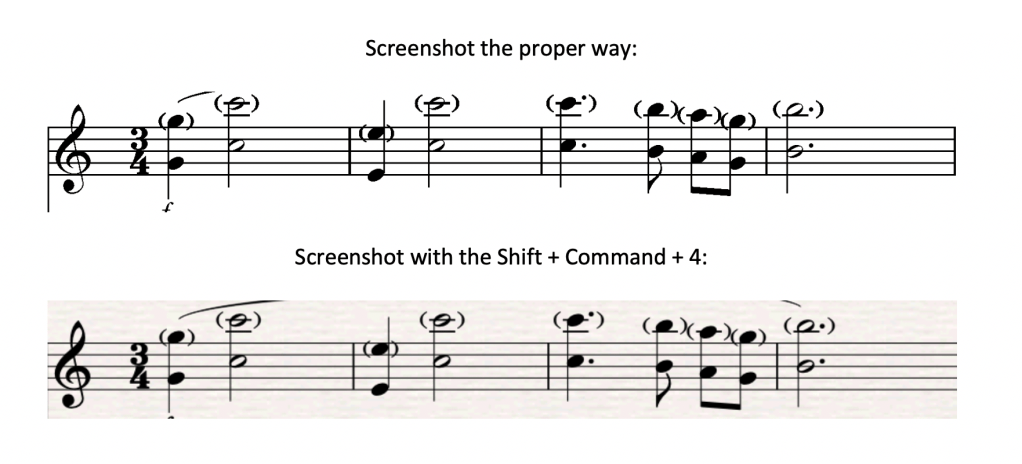
We’ve also learnt to graphic export the ‘proper’ way in Sibelius. These are the following steps:
- Highlight the bars/ parts you want to copy/ export
- Type Alt + G (or on Mac: Option + G)
- (The selected bars should now come up with a dotted border line around it)
- Press copy from the navigation bar.
- Copy this onto Microsoft Word or Pages (Mac users).
This way, the “paperback textures” and playback lines will not be included when you screenshot it the proper way.
If you’re a Sibelius user, let me know what other clever hacks you’ve uncovered in the comment section below!
 Music Education